Last updated November 18, 2026.
What does a Guitar Pro file hold?
Guitar Pro is a program for writing tabs, and many teachers use Guitar Pro to write out songs and exercises. The file holds the tab, usually standard notation above the tab, the tempo and the key. Many files also hold every other instrument in the song, such as bass and drums, and the names of the song's sections. A program that reads the file plays every part out loud, so you hear how the music should sound before you play a note.
A file that ends in .musicxml, .mxl or .xml is a MusicXML file, which MuseScore, Finale and Sibelius save. TabbyGato opens MusicXML files too, and you practice a MusicXML file with the same steps as a Guitar Pro file.
How do I practice the song in TabbyGato?
- Open the file. Press Open file, or drop the file anywhere on the TabbyGato window. The file stays on your computer, and TabbyGato uploads nothing.
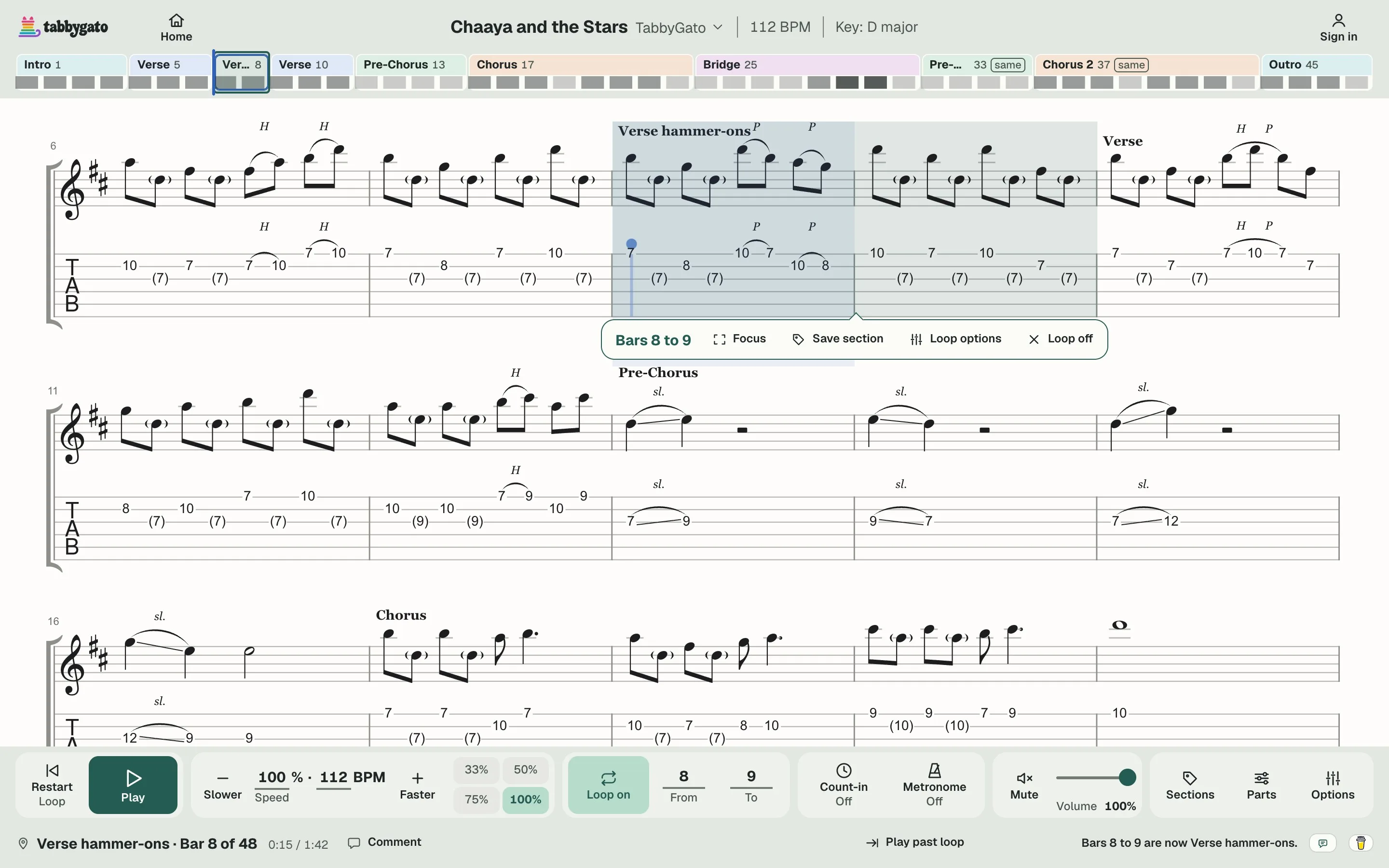
- Listen once at full speed. The colored song map across the top shows each section the file names.
- Loop the bars that trip you up. Drag across those bars to loop them, and press Save section to keep the loop under a name like "Verse hammer-ons".
- Slow the loop down. Pick a speed of 50% or 75%, or press Slower and Faster for small steps.
- Pick up where you left off. Next time, Keep practicing on Home reopens the song at the bar where you stopped, with your loop and your speed.
When you get stuck
- "I don't know how the song should sound." Press Play and listen to every instrument in your teacher's file before you pick up your guitar.
- "I can play my part alone, but not with the song." Open Parts and press Mute on your guitar part. The bass and drums from your teacher's file keep playing, and you play the guitar part yourself.
- "That part is too fast for me." Set the loop's speed to 50%. Once you can play the loop cleanly, open Loop options and set Speed up each time round to +2%, +5% or +10%. Each time round of the loop then plays faster than the one before, by the step you picked.
- "I keep rushing." Turn on the Metronome, and read the written count (1 e & a) under every bar to see where each note lands.
- "My file only has my part." Play along with the Metronome instead of the band, and ask your teacher for the song's recording.
Can I open the file without TabbyGato?
Yes. The Guitar Pro editor, a free tab editor or another browser player can also open a Guitar Pro file, and How to open a Guitar Pro file explains each way.